Guide
Your Instagram and TikTok recipes, in one place and at hand when you cook
Updated
nudgio saves recipes from Instagram, TikTok, YouTube, Pinterest or any website with the share button. It pulls out their ingredients, servings and steps, and lets you find them by describing them: "those healthy cinnamon rolls".
You saved it to make it
The four-ingredient pasta. The crunchy chickpeas. The cake from a Sunday night.
And then, when you go to cook… it is nowhere.
Not because you did not look for it. Because it is in another app, with no name, among hundreds of saves.
How it works
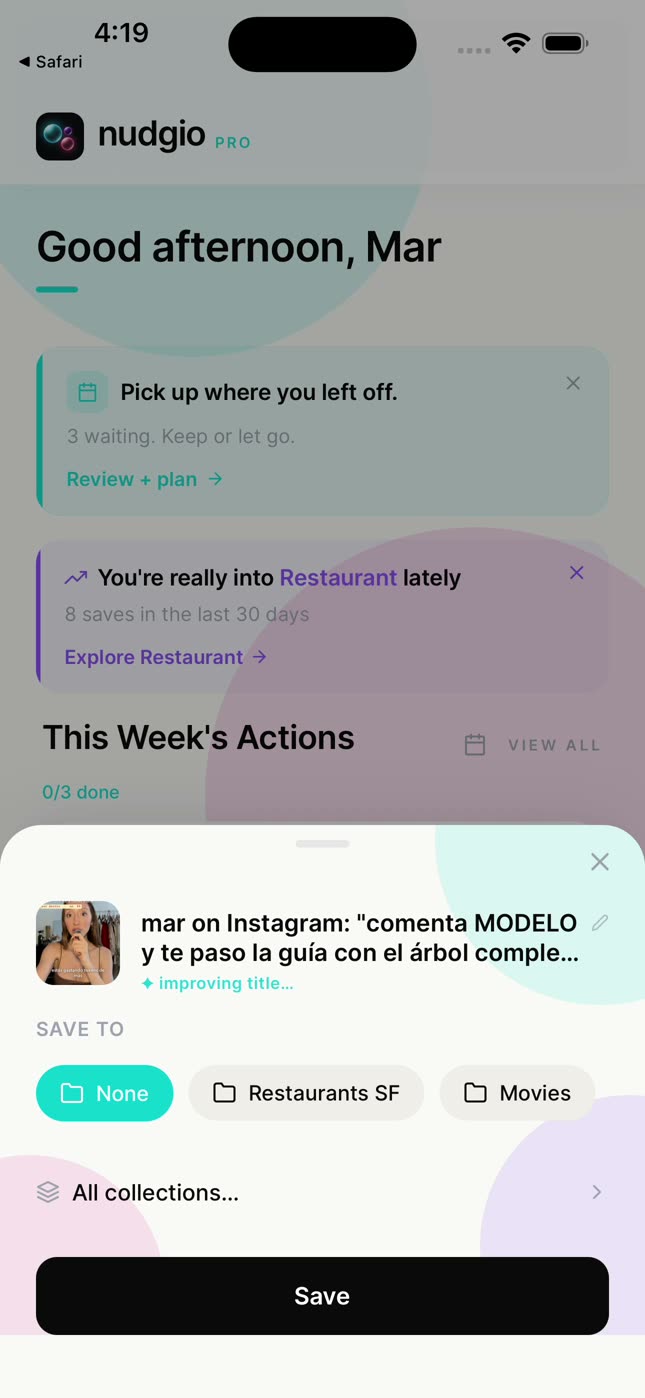
Save it wherever you see it.
With the share button of any app or website, or by pasting the link. Also from a photo or a screenshot.
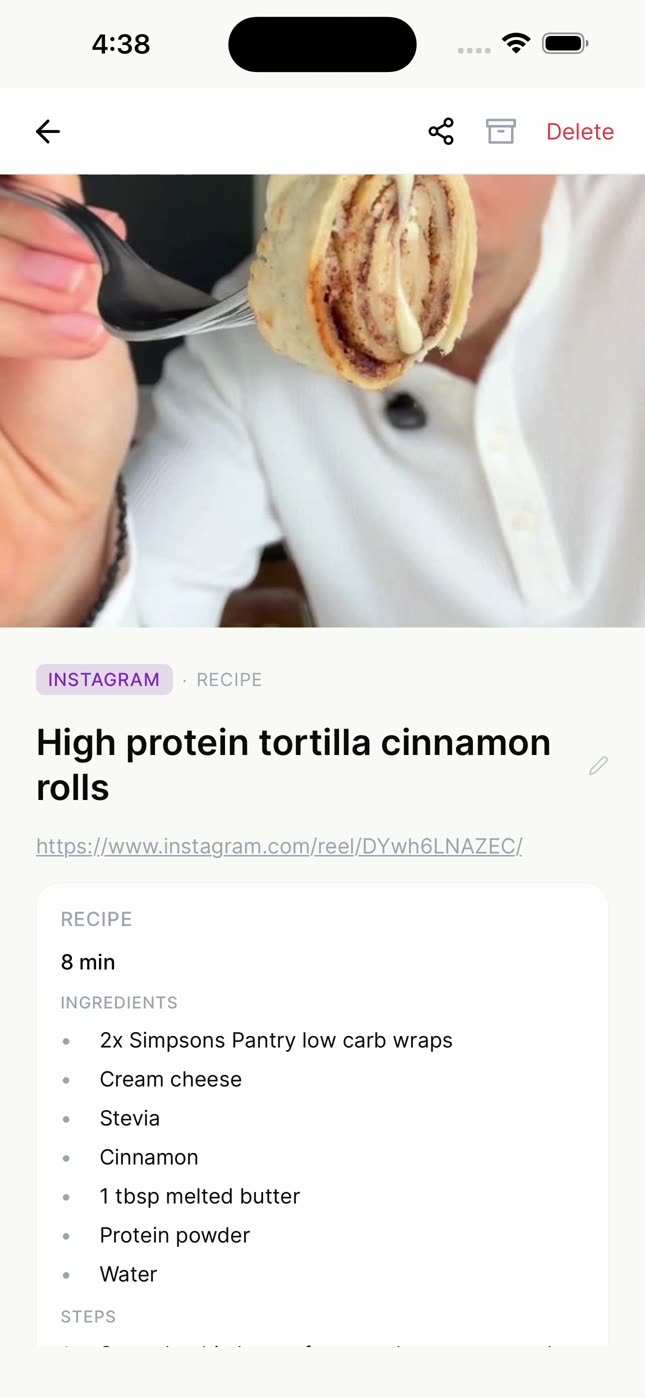
nudgio pulls out the recipe.
Ingredients, servings, time and steps, on a card you read without going back to the video.
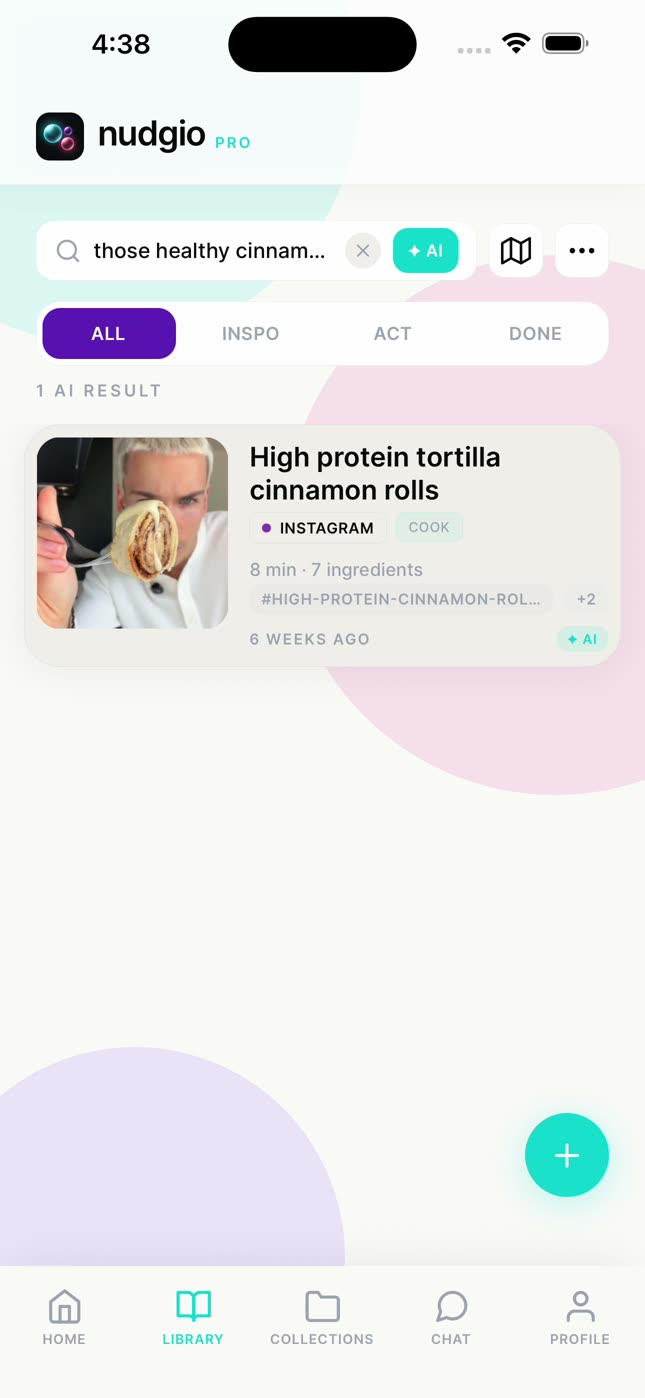
Find it by describing it.
"Those healthy cinnamon rolls" or "the creamy pasta with no cream", even if you do not remember the name or the account.
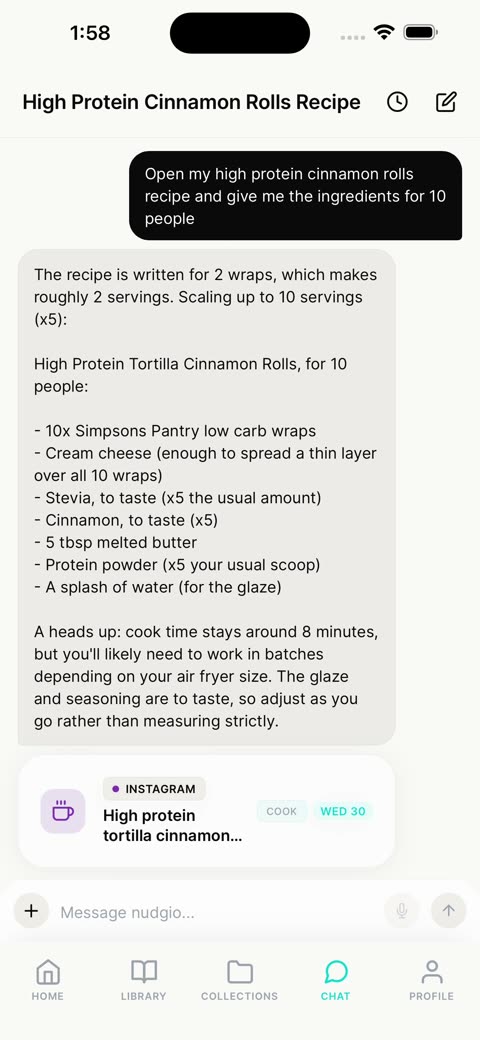
Adapt it with the chat.
"Scale my cinnamon rolls for 10 people" recalculates the amounts. And if you ask, it makes the shopping list.
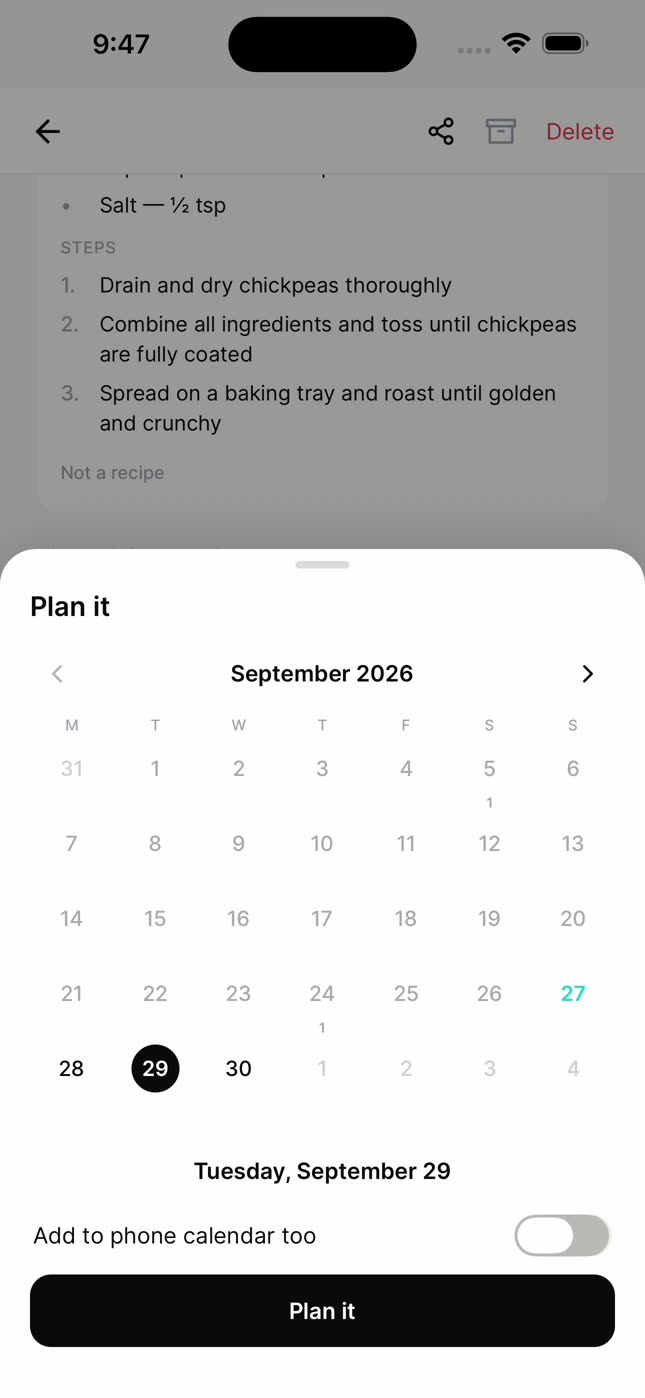
Give it a day.
Thursday for dinner, and if you want, on your phone’s calendar too. Every week, nudgio reminds you of what you have to do.
Cook together
A shared collection, like Dinners at home, where everyone adds their own.
If you only use Instagram or TikTok collections
- Instagram: Profile, menu (the three lines), Saved.
- TikTok: Profile, the bookmark (Favorites).
- Both sort into collections, but neither has search or pulls out the ingredients, and every recipe stays in its app.
- If all you want is a recipe box, there are apps made just for that. nudgio is for when your recipes live next to everything else you save: the places you want to go, the tutorials, the plans.
You already had the recipe. It just needed to show up in time.
Questions
Can I search my saved posts on Instagram?
No. Instagram lets you sort them into collections, but not search them. In nudgio you find them by describing them.
Where does nudgio get the ingredients from?
From what the post says: its text and its description. If the recipe is written down, you have it on the card.
Does nudgio download the video?
No. It keeps the link, a thumbnail and what the post says, and you open it in its app whenever you want.
Does it work with recipes from YouTube, Pinterest or blogs?
Yes, with any app or website that has a share button.
Is it free?
Yes. Saving, organizing and searching, AI search included, is free. nudgio Pro adds 100 chat messages a day, saving from photos and screenshots, giving a save a day and adding it to your phone’s calendar, and more.