Guide
From saving it to doing it
Updated
Saving is easy. The hard part is getting back to it when you can actually do it. nudgio helps with that: you mark what you want to do, give it a day, see it in your week and on your phone’s calendar, and every week it reminds you of what is ahead.
You saved it for a reason
A recipe for the weekend. A tutorial you wanted to try. A place for your next trip.
And the week goes by… and it is still there.
Not because you did not want to. Because nothing reminded you when you could actually do it.
How it works
Tell it what it is.
Inspiration, to keep as a reference, or To act, if you want to do it. And what it takes: cook, read, watch, buy or try.
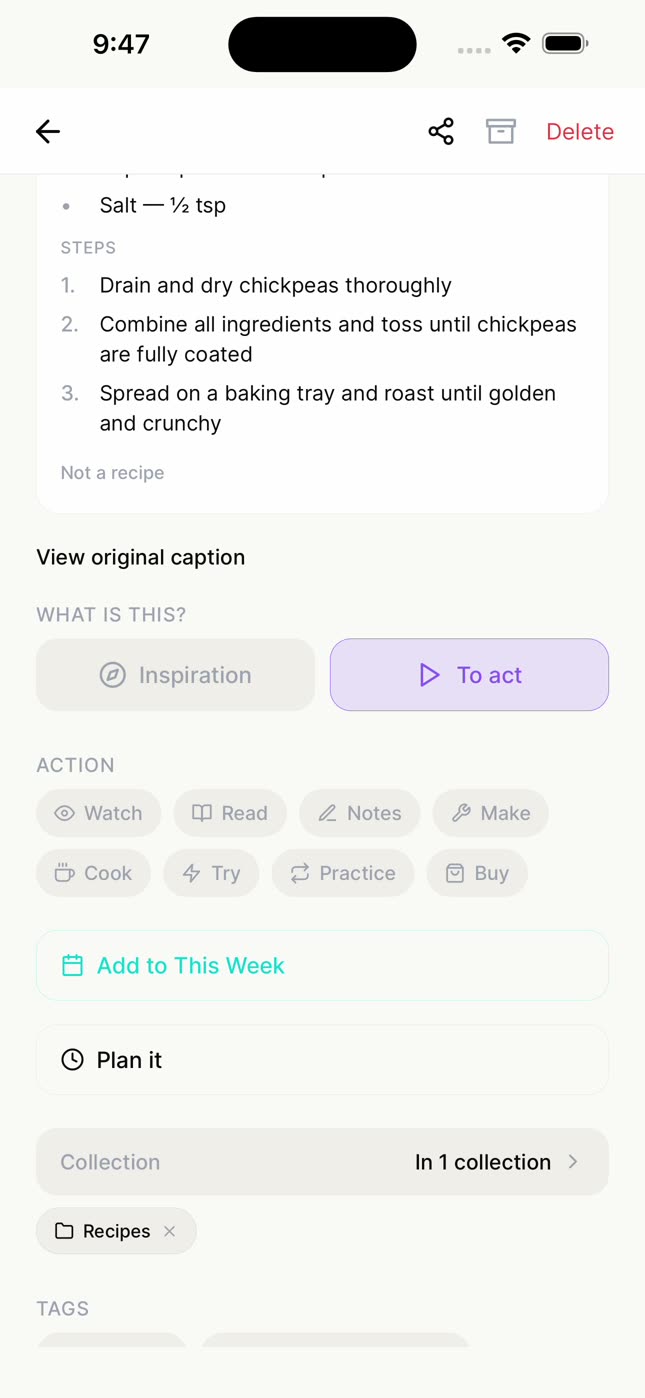
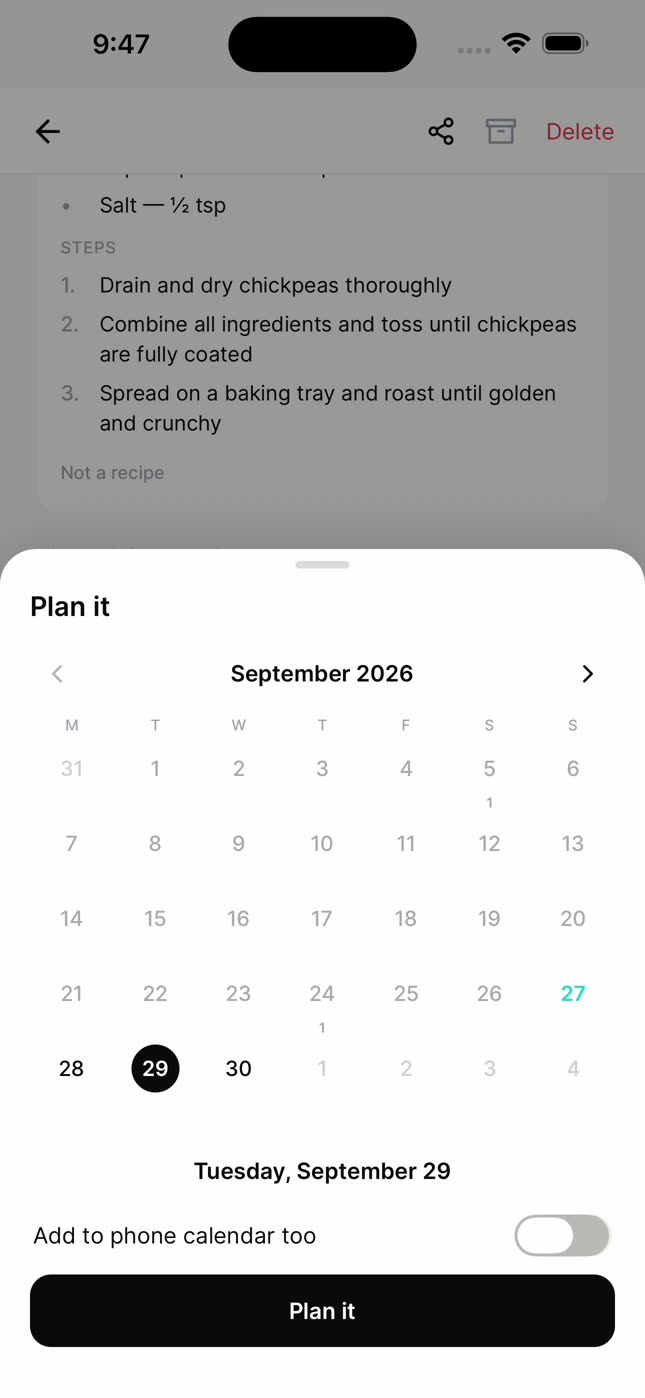
Plan it.
Saturday for the recipe, Thursday for the tutorial. If you want, it goes on your phone’s calendar too.
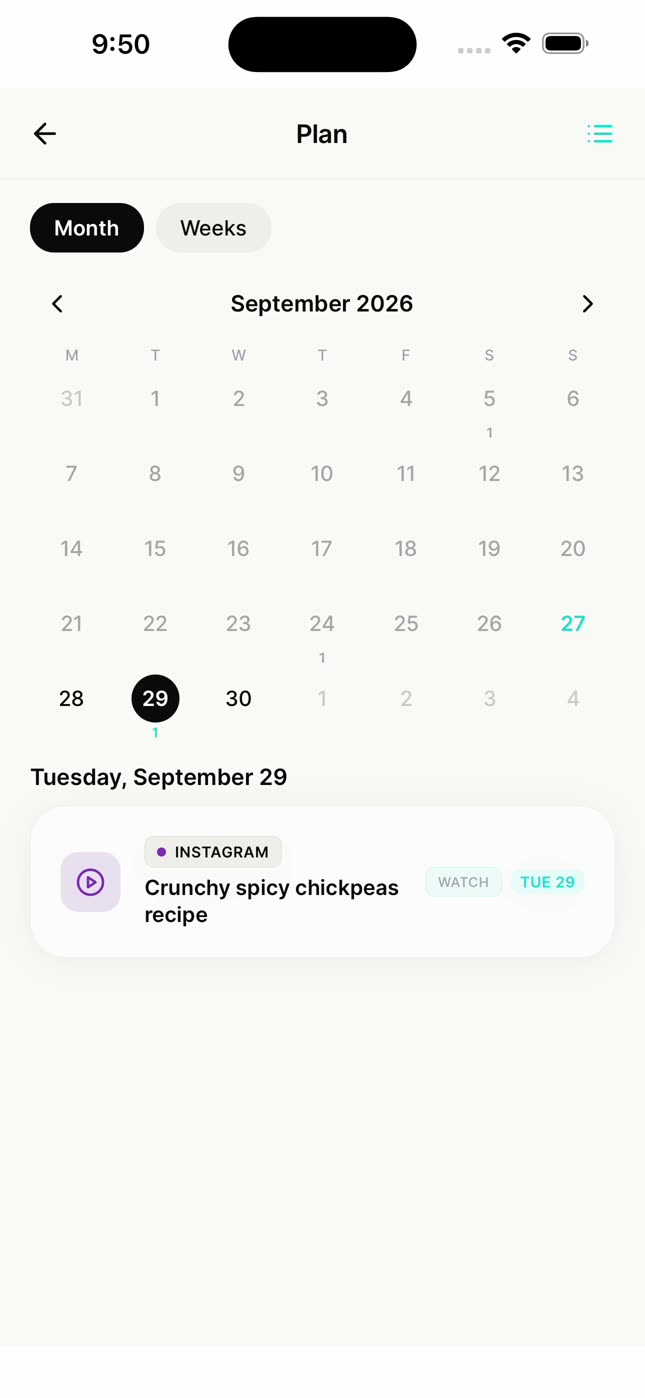
See it in your plan.
A calendar with what you set out to do, by month or by weeks.
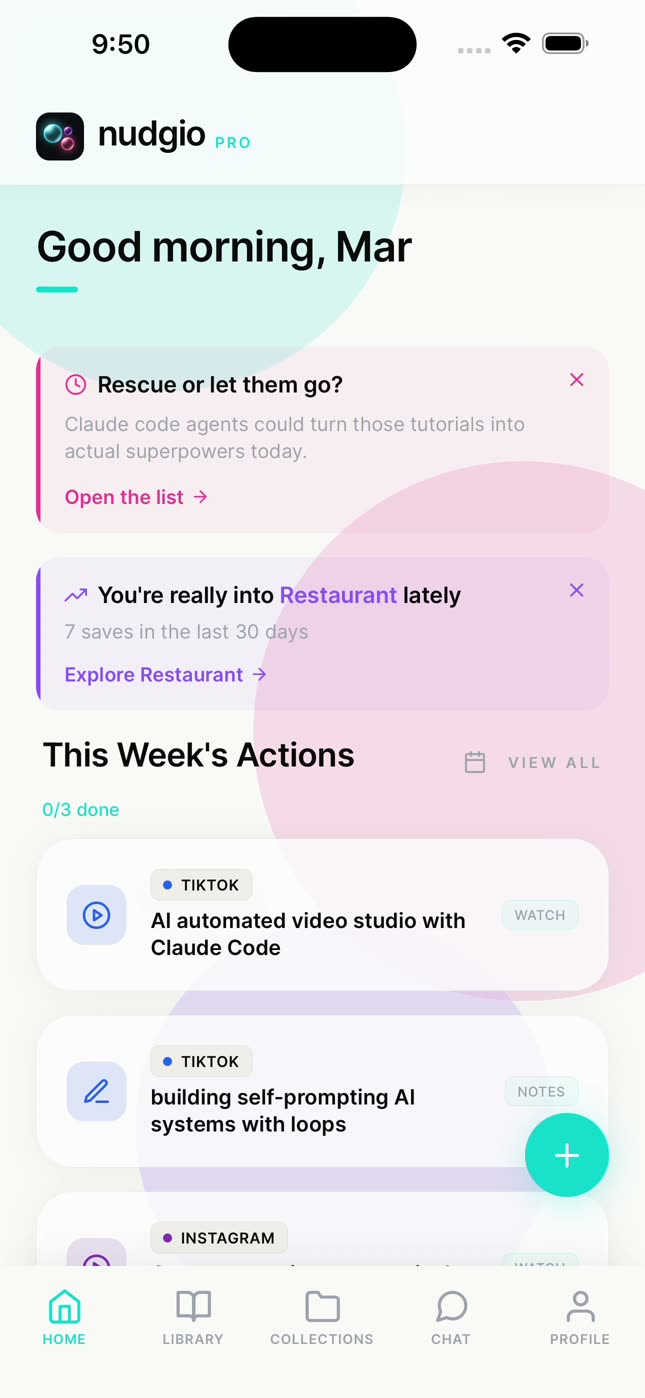
Your week, on your home screen.
This Week’s Actions gathers what you set out to do in the next 7 days, with how many you have done. And every Monday nudgio suggests a quick review: what is still in play, what you can rescue and what you can let go.
No pressure
Most people do best with 3 to 5 things a week. What sits for more than 30 days does not turn into a to-do list that weighs on you: nudgio asks whether you rescue it or let it go, and what you let go goes back to your library, never lost. And when you make progress, it tells you: "3 of 5 done this week. Keep going ✦".
The spark was never the problem. It was the moment.
Questions
Does nudgio remind me of what I saved?
Yes. Every week it reminds you of what you have to do, and anything with a day shows up in your week when it is time. You turn notifications on yourself.
Can I add it to my iPhone calendar?
Yes. When you plan it, turn on "Add to phone calendar too".
What happens to what I do not do?
Nothing bad. It stays in your library. If it has sat for more than 30 days, nudgio asks whether you rescue it or let it go.
Does it work with anything I save?
Yes: a recipe, a tutorial, a place, an article or a product. Anything with a link.
Is it free?
Yes. Saving, organizing and searching, AI search included, is free. nudgio Pro adds 100 chat messages a day, saving from photos and screenshots, giving a save a day and adding it to your phone’s calendar, and more.