Guide
All the places you want to visit, on your map
Updated
nudgio saves the places you want to visit, from Google Maps or by asking the chat, and puts them all on your map: restaurants, beaches, shops, museums or that viewpoint you saw in a reel. You sort them by trip, city or plan, and when you are there, it takes you.
Why they get lost
The restaurant from a reel. The beach a friend sent you. The shop you saw on a trip.
And when you are finally in that city, you cannot remember a single one.
Not because you did not care. Because each one stayed in a different app.
How it works
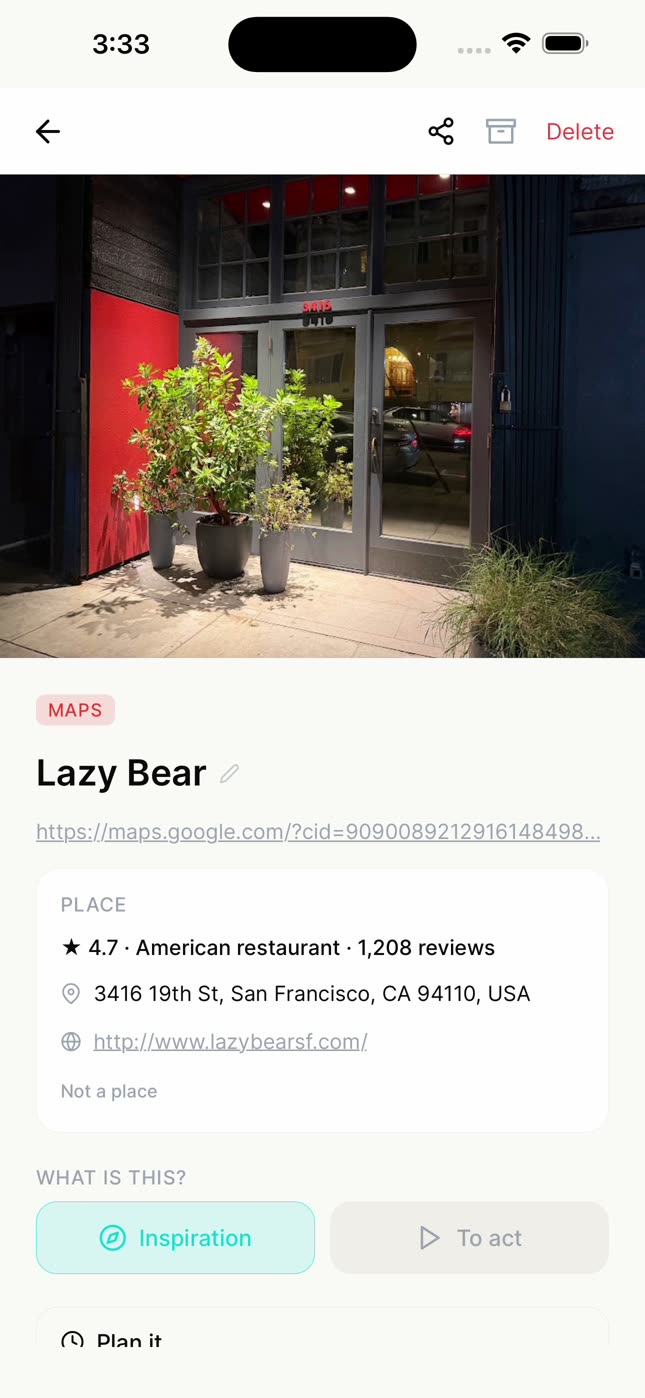
Save it from Google Maps.
Tap Share and pick nudgio. It arrives with its photo, its rating, its address and its pin on the map.
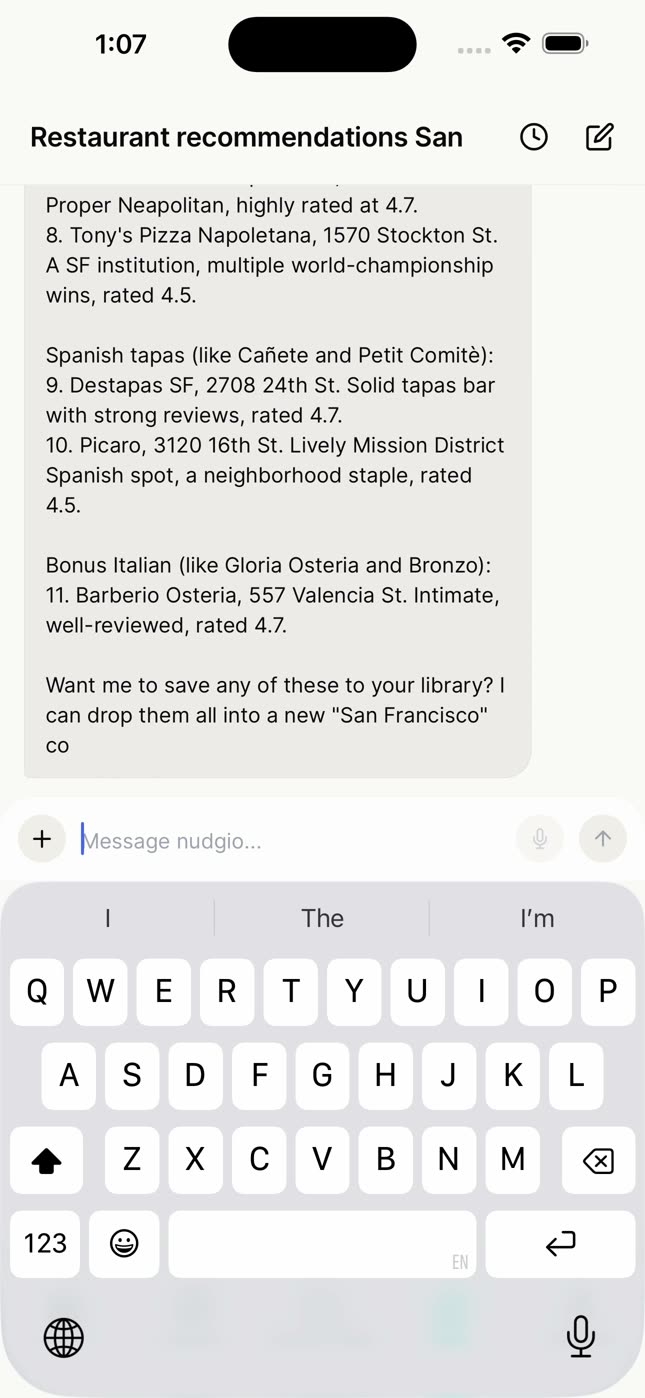
Or ask the chat.
"Based on the places I saved in Barcelona, recommend 10 in San Francisco with the same vibe": it suggests real places, with their ratings. And if you saw one in a reel, ask it to save it by name.
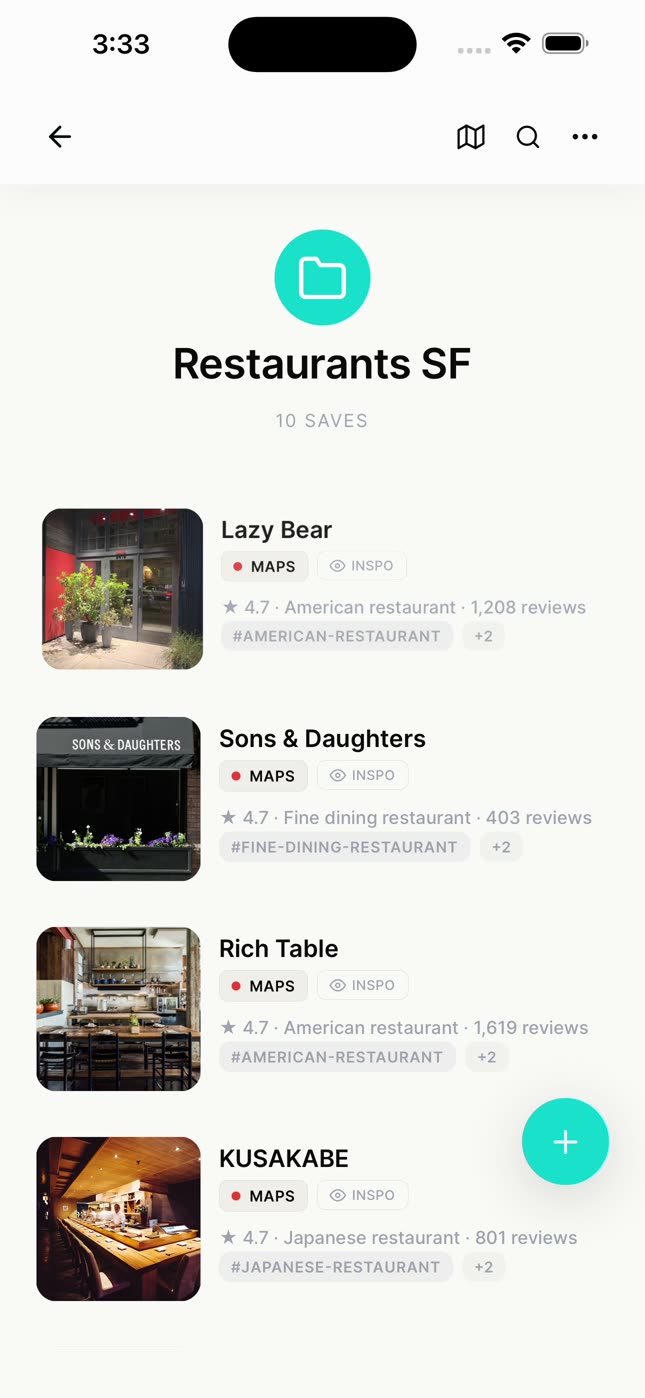
Sort them into collections.
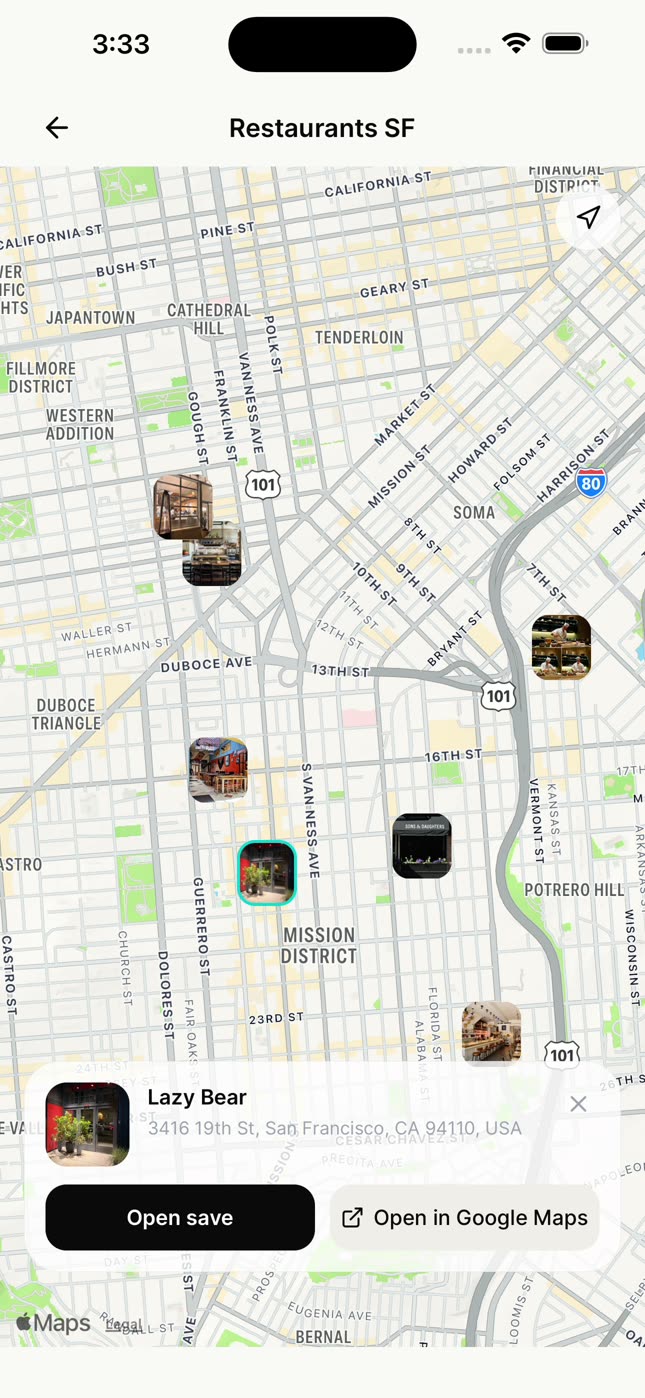
One per city, trip or plan, like Restaurants SF or Summer beaches. The chat creates it with the ones you pick.
See them all on your map.
Every place in your library, or only the ones in a collection.
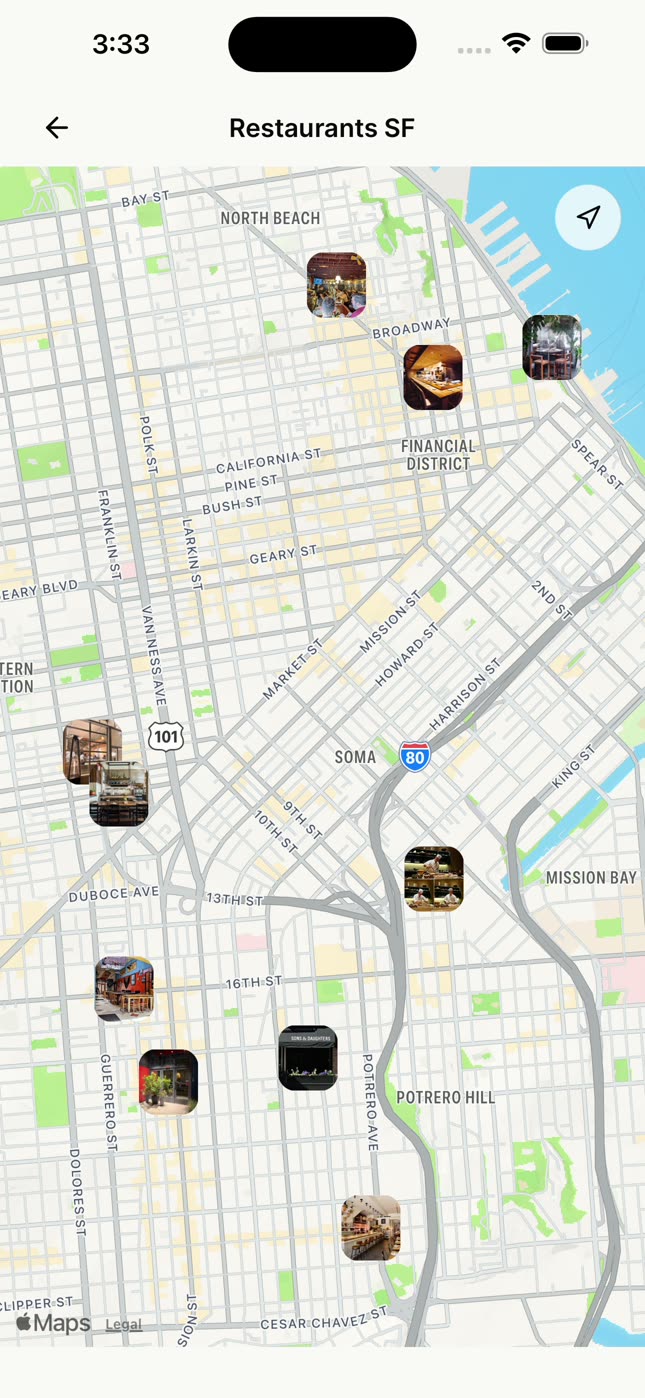
Open it when you are there.
Tap a pin and open it in nudgio, or in Google Maps to get there.
Trips with your people
A shared collection for the trip, where everyone adds their places, and they all show up on the same map.
If you already use Google Maps lists
Google Maps saves places in lists and shows them on its map. nudgio brings them together with everything you save for that plan (the reel of the viewpoint, the article with the best coves, the recipe you want to try there) and helps you do it: you give it a day and it goes into your week. It does not import your Google Maps lists; you bring places over by sharing them.
You had plenty of places. You just could not see them together.
Questions
Can I save places from Instagram or TikTok?
You can save the post. For the place to show up on your map, open it in Google Maps and share it with nudgio, or ask the chat for it by name.
What places can I save?
Any place on Google Maps: restaurants, cafés, hotels, shops, museums, beaches or viewpoints.
Does it import my Google Maps lists?
No. You bring places over by sharing them from Google Maps, one by one.
Can I share a trip’s map?
Yes. You share the collection, and anyone you want can add their places.
Is it free?
Yes. Saving, organizing and searching, AI search included, is free. nudgio Pro adds 100 chat messages a day, saving from photos and screenshots, giving a save a day and adding it to your phone’s calendar, and more.